
Choosing the right payment gateway is one of the most consequential decisions a Shopify merchant can make. It directly affects your transaction costs, checkout conversion rates, cash flow speed, and ultimately your bottom line. Two names consistently dominate this conversation: Shopify Payments and PayPal. Both are credible, widely used, and deeply integrated into the Shopify ecosystem — but they serve different needs, carry different costs, and perform differently depending on your store's size, audience, and geography.
This guide breaks down the Shopify Payments vs paypal debate with real numbers, honest trade-offs, and a clear decision framework so you can stop guessing and start optimizing.
Shopify Payments Overview
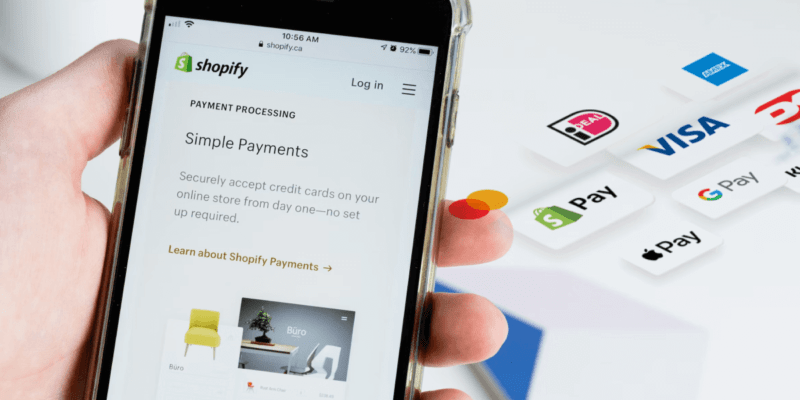
Shopify Payments is Shopify's native, built-in payment processor. Launched in 2013 and powered under the hood by Stripe, it is deeply embedded into the Shopify admin — no third-party accounts, no separate dashboard, no manual reconciliation. Everything from order management to payouts lives in one place.
How Shopify Payments Works
When a customer checks out using Shopify Payments, the transaction is processed directly within the Shopify infrastructure. Funds are deposited into your business bank account on a rolling schedule (typically 2–3 business days in the US). There is no intermediary holding your money in a separate merchant account.
Key capabilities of Shopify Payments include:
- Shop Pay — Shopify's accelerated checkout that saves customer payment and shipping details for one-click repeat purchases
- Multi-currency selling — present prices and accept payments in local currencies across 133+ countries
- Buy Now Pay Later (BNPL) — integrated with Shop Pay Installments, powered by Affirm in supported markets
- Point of Sale (POS) — seamless integration with Shopify POS hardware for in-person selling
- Fraud analysis — built-in machine learning fraud detection at no additional cost
- Zero third-party transaction fees — when you use Shopify Payments as your processor, Shopify waives the additional transaction fee that applies to external gateways
Shopify Payments is available in the US, Canada, UK, Australia, Ireland, New Zealand, Singapore, Hong Kong, Japan, and several European countries. Merchants outside these regions cannot activate it and must rely on third-party gateways.
For a deeper look at how the product works, see our Shopify Payments guide.
PayPal on Shopify Overview
PayPal is the world's most recognized digital wallet, with over 430 million active accounts globally. On Shopify, PayPal operates through the PayPal Commerce Platform, which replaces the older PayPal Express Checkout integration.
How PayPal Works on Shopify
PayPal connects to your Shopify store as a third-party payment gateway. Customers can pay using their PayPal balance, linked bank account, credit/debit card, or — in the US — Venmo. Depending on how the integration is configured, the checkout experience may involve a redirect to PayPal's hosted payment page or an inline card fields experience that keeps customers on your domain.
Key capabilities of PayPal on Shopify include:
- PayPal Wallet checkout — one-tap checkout for the 430M+ existing PayPal users who trust the brand
- Venmo checkout — available in the US, particularly popular with younger demographics (18–34)
- Pay Later — PayPal's BNPL product, including Pay in 4 and PayPal Credit, available at no extra cost to merchants
- International reach — available in 200+ countries and 25 currencies, significantly broader than Shopify Payments
- Seller Protection — PayPal's dispute resolution program covers eligible transactions against chargebacks and unauthorized payments
- Guest checkout — customers can pay with a credit card through PayPal without creating an account
The critical caveat: using PayPal (or any non-Shopify Payments gateway) on Shopify triggers an additional transaction fee on top of PayPal's own processing fee. This fee stacking is one of the central issues in any shopify payments vs paypal analysis.
Shopify Payments vs PayPal: Complete Comparison
The Shopify Payments vs PayPal table below compares both gateways across the dimensions that matter most to a Shopify merchant.
| Feature | Shopify Payments | PayPal (on Shopify) |
|---|---|---|
| Transaction fee — Basic plan | 2.9% + $0.30 | 2.99% + $0.49 (PayPal) + 2% Shopify fee |
| Transaction fee — Shopify plan | 2.6% + $0.30 | 2.99% + $0.49 (PayPal) + 1% Shopify fee |
| Transaction fee — Advanced plan | 2.4% + $0.30 | 2.99% + $0.49 (PayPal) + 0.5% Shopify fee |
| Transaction fee — Shopify Plus | 0.15%–0.20% (negotiable) | 2.99% + $0.49 (PayPal) + 0.15% Shopify fee |
| Additional Shopify fee | None (waived) | 0.15%–2% depending on plan |
| Supported countries | ~20 countries | 200+ countries |
| Payout speed | 2–3 business days (US); 1 day with Shopify Balance | Instant to PayPal balance; 1–3 days to bank (1.5% fee for instant) |
| Chargeback handling | $15 fee (waived with Shopify Protect where available); Shopify disputes on your behalf | $20 fee for unauthorized disputes; Seller Protection applies to eligible transactions |
| Multi-currency | Yes — 133+ currencies, automatic conversion | Yes — 25 currencies |
| Buy Now Pay Later | Shop Pay Installments (Affirm-powered, US/CA) | Pay in 4, PayPal Credit (US, UK, DE, AU, FR, IT, ES) |
| POS support | Full Shopify POS integration | Limited; PayPal Zettle available separately |
| Checkout experience | Native, inline — no redirect | Redirect or inline (PayPal Commerce Platform) |
| Customer trust signal | Shop Pay brand recognition growing | Extremely high — recognized by ~75% of online shoppers globally |
| Account holds/freezes | Less common; handled by Shopify support | More frequent for new or high-risk merchants |
Fee Breakdown: Which Saves You More Money?
Understanding the Shopify Payments vs PayPal shopify payments fees structure versus PayPal's combined fee stack is where most merchants find their answer. Let's run the real numbers.
Assumptions
- Average order value (AOV): $65
- Shopify plan: Shopify ($79/month)
- PayPal standard rate: 2.99% + $0.49 per transaction
- Shopify additional transaction fee for Shopify plan: 1%
Per Transaction Cost ($65 order)
| Gateway | Processing fee | Shopify add-on fee | Total per transaction |
|---|---|---|---|
| Shopify Payments (Shopify plan) | $2.04 (2.6% + $0.30) | $0.00 | $2.04 |
| PayPal (Shopify plan) | $2.44 (2.99% + $0.49) | $0.65 (1%) | $3.09 |
Monthly Cost Comparison by Revenue
| Monthly Revenue | Shopify Payments cost | PayPal-only cost | Monthly savings with SP |
|---|---|---|---|
| $10,000 | ~$290 | ~$475 | ~$185 |
| $50,000 | ~$1,330 | ~$2,240 | ~$910 |
| $100,000 | ~$2,430 | ~$4,480 | ~$2,050 |
These numbers make it clear: routing all transactions through PayPal alone on the Shopify plan costs roughly 64% more per dollar processed than using Shopify Payments. At $100K/month in revenue, that is over $24,000 per year in additional fees.
The shopify payment gateway fee advantage becomes even more pronounced on the Basic plan, where the Shopify additional fee climbs to 2%, making PayPal-only processing nearly three times more expensive per transaction than Shopify Payments.
The only scenario where PayPal's fees become competitive is at high transaction volumes with a PayPal merchant rate — large-volume sellers can negotiate custom rates below 2.99%, though this requires a formal application and consistent monthly volume above $10,000 processed specifically through PayPal.
Impact on Checkout Conversion
In the Shopify Payments vs PayPal conversion analysis, fees matter, but a 1% improvement in checkout conversion rate can outweigh a 0.5% difference in processing fees at scale. Both gateways affect conversion differently depending on your traffic source and customer demographics.
Shopify Payments and Shop Pay
Shopify Payments enables Shop Pay, Shopify's accelerated checkout. Because Shop Pay stores customer details across the entire Shopify network — not just your store — returning buyers can complete a purchase in a single tap. Shopify's own data reports that Shop Pay achieves 91% higher conversion rates than standard guest checkout for eligible transactions.
The native, inline checkout experience also reduces friction: there is no redirect, no new browser window, and no leaving the store's domain. This keeps customers in the purchase flow and reduces abandonment from hesitation or distraction.
For further tactics, our Shopify checkout optimization guide covers the full range of conversion improvements available to Shopify merchants.
PayPal's Trust Factor
Despite the redirect friction, PayPal's brand recognition is a genuine conversion driver for specific audiences. Research by Nielsen and Ipsos consistently shows that displaying the PayPal button increases purchase intent, particularly among:
- Shoppers over 40 who have used PayPal for over a decade
- International buyers unfamiliar with your brand
- Mobile shoppers who prefer PayPal's one-tap wallet to entering card details
- US buyers aged 18–34 who prefer paying via Venmo
A 2023 PayPal-commissioned study found that displaying PayPal at checkout increased conversion by up to 28% for new visitors who did not recognize the merchant brand. This trust halo is real — and it is why most high-performing Shopify stores use PayPal as a secondary option rather than removing it entirely.
The key is configuration. Using the PayPal Commerce Platform with inline card fields (rather than a full redirect) minimizes the friction penalty while preserving the trust signal.
Can You Use Both? The Best Strategy
In the Shopify Payments vs PayPal debate, yes — for most established Shopify stores, using both is the optimal configuration. The best payment method shopify stores use is typically a layered approach:
- Shopify Payments as the primary gateway — handles the majority of transactions at the lowest fee rate, powers Shop Pay, and eliminates Shopify's additional transaction fee
- PayPal as a secondary option — offered at checkout for customers who prefer it, capturing conversions that would otherwise be lost from non-PayPal-primary shoppers
How to Avoid Double Transaction Fees
Here is the critical detail merchants miss: Shopify only charges its additional transaction fee on PayPal transactions that go through PayPal's processor. When Shopify Payments is your primary gateway and PayPal is a secondary option, you pay:
- Shopify Payments rate (no add-on fee) for all card transactions processed through Shopify Payments
- PayPal's processing rate + Shopify's add-on fee only on transactions where the customer explicitly chose to pay with PayPal
Since PayPal-preferred customers typically represent 15–25% of total transactions in most niches, the actual cost impact of including PayPal as a secondary option is modest — and the conversion benefit of offering it to that subset of buyers usually outweighs the fee difference.
What you want to avoid is routing all card transactions through PayPal as your only gateway, which is where the fee stacking becomes punishing.
If you want to fully optimize this setup, our Shopify CRO services team can audit your current checkout configuration and model the revenue impact of gateway changes specific to your store.
Which Payment Gateway Is Right for Your Store?
There is no universal answer to the Shopify Payments vs PayPal question to the shopify payments vs paypal question, but the following decision matrix covers the most common scenarios.
Use Shopify Payments as Your Primary Gateway If:
- Your store is based in a Shopify Payments-supported country (US, UK, CA, AU, etc.)
- You process more than $5,000/month — the fee savings compound quickly at scale
- You want a unified dashboard without managing separate accounts
- You sell across multiple currencies and need automatic currency conversion
- You run Shopify POS alongside your online store
- You want access to Shop Pay and its accelerated checkout conversion benefits
- You want BNPL integrated natively without a third-party app
Prioritize PayPal If:
- You operate in a country where Shopify Payments is not available
- Your customer base skews heavily toward PayPal wallet users (common in Germany, Netherlands, Australia, and Southeast Asia)
- You are a new store with no brand recognition and need PayPal's trust halo to reduce abandonment
- You sell high-ticket items where customers feel safer paying through PayPal's buyer protection
- A significant share of your US audience is in the 18–30 demographic and prefers Venmo
Use Both If:
- You want to maximize checkout coverage without paying excessive fees (the most common recommendation for mid-size stores)
- You are on the Shopify, Advanced, or Plus plan where the additional transaction fee for PayPal is 1% or below — making the incremental cost of offering PayPal as a secondary option relatively minor
- Your analytics show cart abandonment reasons include "preferred payment not available"
Decision Matrix by Store Profile
| Store Profile | Recommended Setup |
|---|---|
| New US store, under $5K/month | Shopify Payments primary; PayPal optional |
| Established US store, $10K–$100K/month | Shopify Payments primary + PayPal secondary |
| International store (EU, Asia-Pacific) | Shopify Payments where available + PayPal for broader reach |
| Store outside Shopify Payments supported countries | PayPal Commerce Platform + local gateway |
| High-ticket B2C (AOV $300+) | Shopify Payments + PayPal for buyer protection trust |
| Shopify Plus enterprise | Shopify Payments (negotiated rate) + PayPal + additional local methods |
Conclusion
The shopify payments vs paypal debate does not have a single winner — it has a best strategy. For the vast majority of merchants operating in Shopify Payments-supported markets, Shopify Payments should be your primary gateway. The elimination of Shopify's additional transaction fee, combined with lower processing rates, Shop Pay's conversion advantage, and a unified management experience, makes it the financially superior choice for the bulk of your transactions.
PayPal earns its place as a secondary option — not because of fee efficiency, but because of the conversion value it delivers to the subset of customers who actively prefer it. Removing PayPal entirely risks alienating a meaningful segment of buyers whose trust in your brand depends on seeing that familiar yellow button at checkout.
The optimal Shopify Payments vs PayPal strategy: run both, configure PayPal inline where possible to reduce redirect friction, and revisit your gateway mix as your store's revenue and geographic footprint grow. The right configuration at $10K/month may look different at $200K/month — so audit your shopify payments fees and PayPal costs quarterly against actual transaction data.
The MGroup team specializes in Shopify performance optimization, including payment gateway configuration, checkout flow audits, and conversion rate improvements. If you want a store-specific analysis rather than general benchmarks, our team is ready to help.